My Account
This product was successfully added to cart!

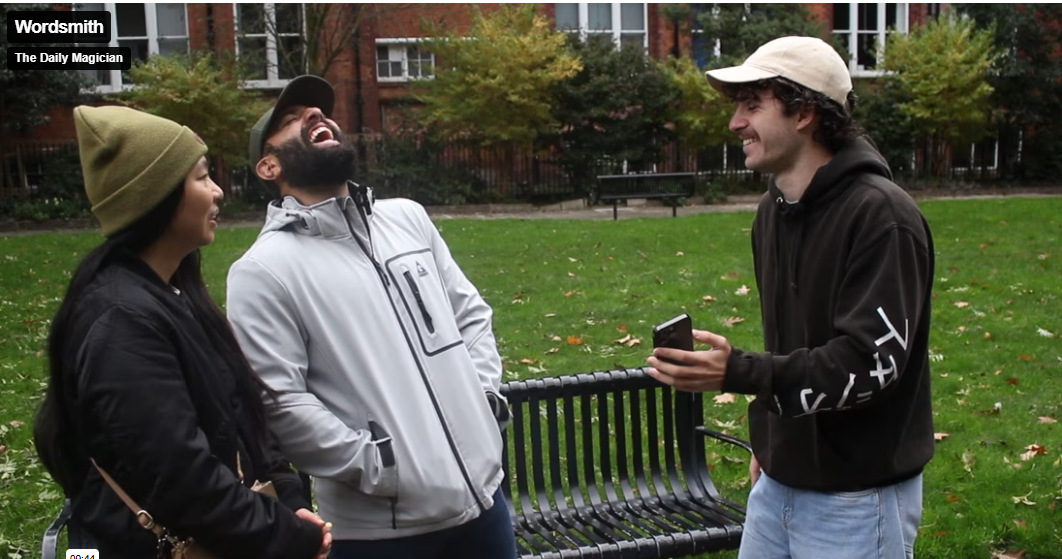
The Daily Magician – Wordsmith (with on Shortcut)
 Shipping: International shipping available
 Shipping time: Instand download
 Discount: Purchase more than $15 and get automatically 20% discount on checkout (more than $4.99 for 10%, $12 for 15% discount on checkout)
 Handling time: Send within 1 business days after receiving cleared payment
 Returns: 7 days money back guaratee
Product Detail
IMPORTANT! READ THIS FIRST
Shipping Guide
Sending Time
Product Tags
Created by mentalist AM, Wordsmith is:
* Easy
* Surefire
* Truly invisible (no voice inputs, prework, etc.)
* Flexible (you chose how to do the reveal!)
* Just flipping nuts…like people, this thing is so good…how on earth did we get lucky enough to be the magic shop that gets to release this???? We know we’re here to make sales and stuff, so maybe you won’t believe us until other people start hyping this up, but uh…this is game-changing.
(To see magicians react to the method and effect – just watch the trailer!)
It’s no understatement that this might be the best product we’ve ever put out.
There are simply two downsides:
* It’s English only
* It’s iPhone only
If you either don’t own an iPhone or don’t speak English, you are officially excused from buying this. Otherwise, you have no excuses.
There’s so much that could be said about Wordsmith, but we’ll let the effects do the talking…
Here’s everything you can do with Wordsmith:
(No method obscured – this is exactly how they look. There will be variations depending on your personal preferences and how hard or easy you want to make Wordsmith – but what you’re about to read is everything – no method cut.)
AnyWord
The spectator thinks of literally any word in the English language. You tell them you’re going to try to tap into what they’re seeing. To help you visualise the letters, you ask them to describe the shapes they’re seeing—whether the letters are made up of straight or curved lines.
As they describe the shapes, you tell them you’re getting a picture of what the word might be, but you’re not sure. Regretfully, you tell them that you might have to make a handful of guesses, as there are simply so many words they could be thinking of. You take your phone out and quickly write down a few guesses.
You turn the phone around and ask the spectator if any of the words you’ve written down are what they were picturing. They awkwardly tell you that none of them are correct.
“Wait,” you say. “Earlier I told you to picture your word in capitals. Look at the capitals—the first letters of each word.”
The spectator looks at the words you wrote down once again, and notices that the first letter of each word spells out the exact word they’re thinking of.
Here are some of the insane conditions:
* The word is never spoken aloud, written down, or shared.
* Zero restrictions or narrowing required—this really works for any word in the world.
* Easy to do.
* Can be done without the phone being in play until the very last seconds, where you make your prediction and sometimes guess a couple of the letters.
Codebreaker
You tell your spectator that you’ve always been interested in codebreaking, and over the years, you’ve developed it into a skill that very few people in the world have. To prove it, you’re going to have them think of a word and ‘encrypt’ it—and you’ll see if you can figure it out.
First, the spectator thinks of literally any word in the English language. Next, you ask them to open their phone’s dial pad and point out that most of the numbers still have three letters assigned to them. “Remember when we had those old flip-phones where we would send texts by pressing the numbers matching the letters?”
The spectator spells out their word using the numbers corresponding to their letters. That, you explain, is the first level of encryption. Even if you were to see this number, you wouldn’t necessarily know their word—each number has multiple letters.
“But,” you say, “let’s make it even harder for me. Don’t tell me the numbers you’re seeing—just tell me whether you’re seeing straight or curved numbers. That’s the second layer of encryption.”
The spectator tells you whether they’re seeing straight or curved numbers, and after thinking hard, you tell them you’re getting a picture of what the word might be—but you’re not sure. Regretfully, you tell them that you might have to make a handful of guesses, as there are simply so many words they could be thinking of. You take your phone out and quickly write down a few guesses.
You turn the phone around and ask the spectator if any of the words you’ve written down are what they were picturing. They awkwardly tell you that none of them are correct.
“Wait,” you say. “I actually left you a secret code too, see if you can figure it out…”
The spectator looks at the words you wrote down once again and notices that the first letter of each word spells out the exact word they’re thinking of.
The Book Test
The spectator opens a book—either digital or real—and finds literally ANY sentence (without telling you the page number or any information about it). You ask them to find the longest word in that sentence and remember it, and maybe remember the next couple of words too.
They close the book but keep the words in their mind.
You ask them to imagine your hand is a blank piece of paper and to simply trace the letters they’re seeing on your palm. But—here’s the important part—they do this at a distance, so they’re not actually touching your hand as they draw the letters. You close your eyes, so it’s evident there’s no way you could either see or feel the letters.
Once they finish, you tell them you’re pretty sure you ‘sensed’ the exact letters they drew on your hand, and even have an idea of the words they’re thinking of. You open your notes app and write down a couple of words, also guessing a few of the letters. You turn your phone around and reveal that it’s exactly the words they’re thinking of—words they never spoke aloud or shared anywhere!
This is one of the most insane book tests we’ve ever seen—and we’ve seen a lot.
(The only note is you'll need to have access to a PDF version of the book you're using for it to work.)
WebTest
The spectator opens any webpage and finds literally ANY sentence (without telling you the page number or any information about it). You ask them to find the longest word in that sentence and remember it, and maybe remember the next couple of words too.
They close the page but keep the words in their mind.
You ask them to imagine your hand is a blank piece of paper and to simply trace the letters they’re seeing on your palm. But—here’s the important part—they do this at a distance, so they’re not actually touching your hand as they draw the letters. You close your eyes, so it’s evident there’s no way you could either see or feel the letters.
Once they finish, you tell them you’re pretty sure you ‘sensed’ the exact letters they drew on your hand, and even have an idea of the words they’re thinking of. You open your notes app and write down a couple of words. You turn your phone around and reveal that it’s exactly the words they’re thinking of—words they never spoke aloud or shared anywhere!
Birthday Reveal
You ask the spectator to think about their birthday. They visualize the day and the month as numbers (for example, 17/09). You ask them a couple of questions about the numbers they’re seeing (whether they’re seeing straight lines, curved lines, etc.) and quickly say that you think you’ve figured out their birthday.
“I’m getting the numbers 0328, so I’m thinking perhaps your birthday is the 28th of March?”
The spectator tells us that our guess is actually incorrect, and nowhere near their true birthday.
“Weird,” we say. “I was really sure about those numbers.”
After a moment’s thought, you ask them to Google how many days until their birthday.
“Oh my…” they say. “It’s 328 days until my birthday!”
PIN Reveal
The spectator thinks of any 4-digit code and you, with a couple of guesses, crack the code.
FAQ:
What is the difference between Wordsmith and Pathfinder?
Wordsmith includes multiple effects—the book test, web test, birthday reveal, etc—that can’t be done with Pathfinder. The only effect that is similar is the ‘guess the thought of word’ effect, which we call AnyWord.
So as far as the difference between AnyWord and Pathfinder:
Pathfinder generates a progressive anagram on the fly and allows you to quickly guess any thought-of-word. However, Pathfinder only works on YOUR phone, so the spectator must be holding your phone when they think of their word.
Wordsmith allows the spectator to think of any word in their mind, and then you tell them what it is.
There are pros and cons to both. In Wordsmith, you need to ask for the shapes of the letters—something you don’t need to do in Pathfinder. However, it can be done without involving anyone’s phone all the way up until the seconds it takes you to write your prediction.
Both are good solutions to this effect that use different methods—although there are a couple common threads in the methods. Some will like one over the other, and some will like having both.
Is this a digitized version of Train Tracking?
No.
Is this the same method as Enigma?
No. It shares one principle (which is just one of the principles that compose the method for Wordsmith) but the methods are very different.
Do you ask for the shapes of all the letters or just some?
All.
What’s the compromise? There has to be an ‘input’ to give you an ‘output’ – at what point do you feed Wordsmith the information it needs to generate the reveal?
There are three main ways of feeding the input to Wordsmith. All are basically invisible.
In a performance, the phone doesn’t have to be used until the 30 seconds or so it takes to write down 5-10 guesses of the word. This is the moment Wordsmith figures out the word and generates the reveal. This has not been omitted from the trailer—it’s the bit where we say “I’m going to make a few guesses on my phone.” The reason you might not have spotted it is simply because it’s so quick/clean + the fact that the trailer has been cut for pacing—but that moment of the method is clearly shown in the trailer.
There is also an optional input mode where you have your phone out and openly try to guess the letters as they describe each shape. This is the easiest mode of Wordsmith but involves the compromise of having your phone out a bit earlier—although presentationally, the method is still invisible. We didn’t do this in the trailer mainly because we prefer the other input modes and still find them quite straightforward.
Does it always look the same?
Most of the time, yes. Occasionally—especially if the word is a short word or Wordsmith can’t fully narrow it down based on the letter shapes/other inputs—it will also generate a short progressive anagram that will finalise the outcome. So sometimes you’ll guess a letter or two before making the reveal. This is also seen in the trailer (minute 3:53).
Does this use voice input?
No.
Does it really work for any word?
Yes. We’ve preprogrammed Wordsmith to work for pretty much any possible word in the English language. Any words that aren’t already programmed in can be added by you after you set it up. (For example, we’ve chosen not to include names but you could generate a list of names and add that into Wordsmith, after which point it would work for those names too.)
Does it really work for any book?
Wordsmith can work with any book, provided you have/can find a PDF of that book. So the roadblock isn’t whether Wordsmith can work with any given book, but rather whether you can find a PDF of that given book. We prefer to do this with public domain books so that we can easily find copyright-free PDFs to run the method. (In the trailer, the book was The Pilgrim’s Progress.)
You can also use your own custom-made PDFs of a specific book, magazine, or website.
Does it really work for any web page?
Yes.
Do you need to be connected to the internet for this to work?
No.
How new does my iPhone need to be?
You need to be running iOS 18.2 or higher. To check what iOS you’re using, go to settings and tap on your Apple Account and then scroll to where it shows your devices, and tap your phone.
Will this be made available in other languages?
We’re not sure. This was an incredible amount of work to set up just for English so it depends how high the demand is and honestly whether the investment of time will be met with enough demand to pay it off.
How hard is it?
It’s quite easy. We’d say 4/10 difficulty.
Honestly, Wordsmith is so good.
As we said earlier, if you speak English, own an iPhone, and do magic—you should probably own this.
But we get it—you might think we’re just hyping this up because we make money when you buy it.
PLEASE NOTE: This item is a downloadable Video or Ebooks . Gimmick not included.
Once your order information has been verified, we will send URL links direct to your email address. They will appear as hyperlinks. You simply click on each link one by one, and accept the download on to your hard drive. Downloading time will depend on a variety of factors, such as your local bandwidth, etc.
The following is the process you should take to complete your order through bank to bank transfer:
1. Please go to your bank (through online banking, ATM or going into a branch) and complete the transfer of money. Make sure that the amount you transfer is the exact total of your order. Payment details below:
- If your bank is located in Austria, Germany, Spain, France, United Kingdom, Italy, Netherlands, Belgium, Finland, Greece or Luxemburg you will pay to our WorldPay bank. You will see the bank details once you have placed the order.
PLEASE NOTE: If you are paying to our WorldPay bank you MUST include the Unique Payment Reference Number (you will receive this directly after paying the order) in the description section when completing payment to help us identify your order. Failure to do this will result in an unsuccessful transaction.
- If your bank is located in a country not listed above you will pay to our HSBC account. The details are below:
Bank Account:
Bank Code:
Beneficiary:
Bank Name:
Bank Address:
SWIFT Code:
PLEASE NOTE: If you are paying in this way you MUST write your Yourname order number in the description section when paying so we can easily recognize your payment. Failure to do this will result in a delayed or failed transaction.
2. When this is done, log in to your Yourname ‘My Account’ and complete the following:
Click ‘Order list’
Click ‘Pay’
Click ‘Complete Payment’ and fill in the related information for verification (This is an important step. If the information you have filled in does not match your bank details the payment can not be completed.)
Click ‘Submit’ to finish the procedure.
3. You will receive a payment confirmation email from us after your order’s payment has gone through successfully. If you do not receive this email, please contact us here: http://www.dlmagicstore.com/help/
Please note that dlmagicstore will begin to handle your items after payment has been cleared.
All magic ebooks and videos are send via email .If the file already been upload ,we can send immediately . If not , we need 2 or 3 days to upload the file .

Lumen by Clement Di Natale
Surefire by Mark Southworth

Candy Cards by Martin Braesses

Holy light by Keanu Ho & AL Chen